Mumbin Rugged Windows Tablet for Field Work
The Mumbin 12.2-inch rugged Windows 11 Pro tablet comes with hot-swap batteries, hardwired Ethernet, and a build that laughs at warehouse conditions. Here's the breakdown.

Reviewed by
Seb and Michelle
We've tested over 6,500 products in the last 5 years – collaborating with over 4,000 brands and bringing our style of reviews to multiple platforms. More about me →
This post contains affiliate links. I may earn a commission at no extra cost to you.
Quick Verdict
This isn’t your everyday tablet. The Mumbin rugged Windows tablet is a specialized machine — super hyper rugged, loaded with 16GB of RAM and a 128GB upgradeable SSD, running Windows 11 Pro, and built around the idea that it’s going to take a beating and keep running. The hot-swappable battery system and hardwired Ethernet port are what separate it from everything else out there. If you work in a warehouse, on a construction site, or anywhere that chews through regular consumer tech, this one deserves a serious look.
Buy if you:
- Need a durable device for warehouse or field operations
- Run 24/7 shifts and can’t afford charging downtime
- Need hardwired Ethernet for end-of-shift file transfers
- Want a fully upgradeable enterprise tablet with a 2-year warranty
Skip if you:
- Need USB-C charging — this uses a proprietary block
- Want a light casual tablet for home or media use
- Are shopping for a consumer device at a consumer price point
Clicking takes you to the seller's website. We may earn a small commission if you purchase, at no extra cost to you.
Rugged Windows Tablets for Professional Field Work
Mumbin sent their latest tablet for my review. And this thing is really cool. I mean, obviously we all know tablets nowadays — everyone’s got one. But this is different. The moment you see it, you can probably tell by the looks of it that it is not a consumer device. The reinforced corners, the chunky build, the ports that are sealed up tight — this is a hyper rugged tablet built for environments where a regular iPad or Surface would be toast within a week. You can grab it right now through my Amazon link here and check the current price and availability.
One of the first things I did on camera was clip on the accessories — boom, just like that — and start walking around with it. The idea being that this is exactly how these get used in the real world. You’re not sitting at a desk. You’re moving. And when you’ve got it in the palm of your hand with that strap on, it’s surprisingly manageable for a 12-inch screen. Super light for what it is.
But let’s get into what makes this thing worth your attention, because it goes way deeper than just looking tough.
16GB RAM, 128GB SSD — and It’s Still Not the Best Part
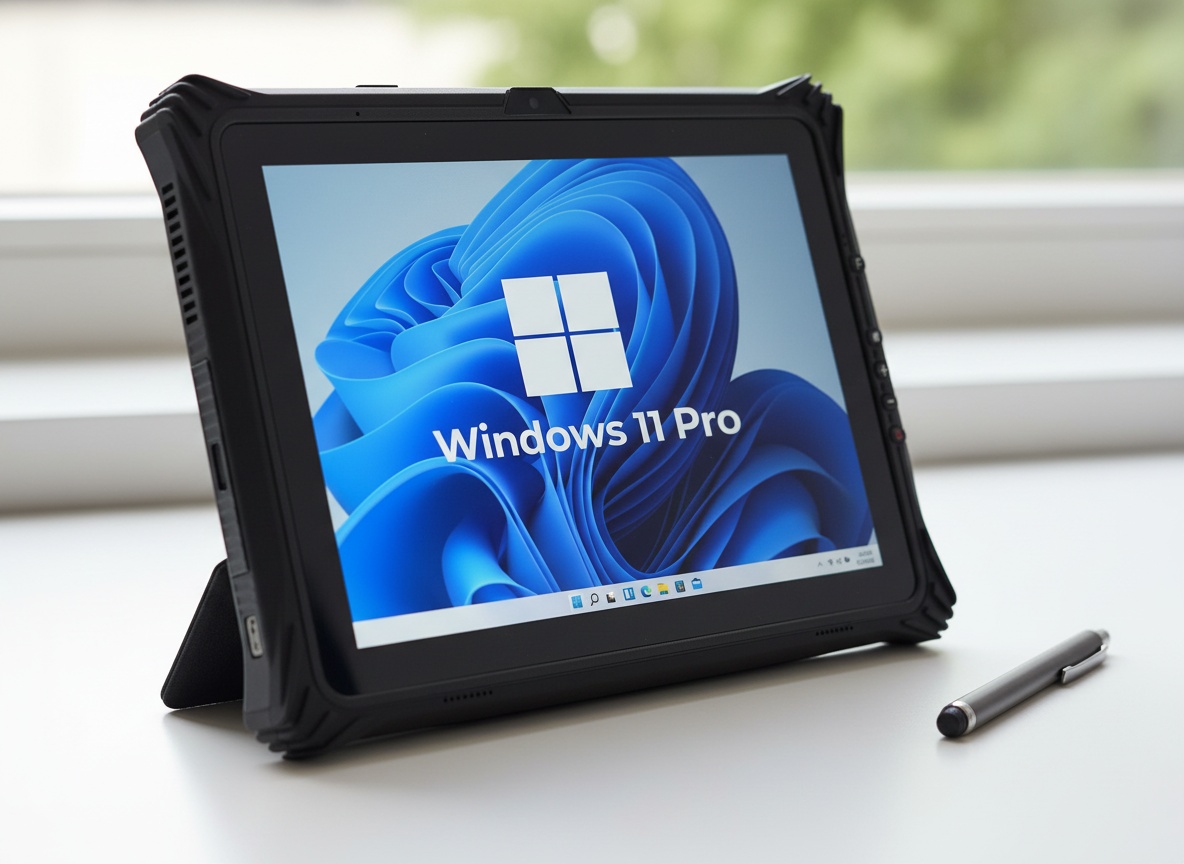
Under the hood, you’re getting a solid enterprise spec sheet. The tablet runs Windows 11 Pro on an Intel N5105 processor. It comes loaded with 16GB of RAM and a 128GB internal SSD. And here’s the part that matters: both of those are upgradeable. You can pop the thing open and swap the drive, upgrade the RAM — it’s not soldered shut like most consumer tablets are. That’s a big deal if you’re running this device in a business environment for several years.
The screen is 12 inches, which gives you enough real estate to actually work — not just browse. And it runs full Windows 11 Pro, so we’re not talking about a stripped-down Android experience with a rugged shell slapped on top. It’s a proper Windows machine. Your enterprise software, your file management, your IT department’s tools — all of it works the way it should.
On top of that, you’ve got 4G LTE built in for connectivity on the go, a camera for capturing UPC codes and job-site renders, and a soft touch stylus pen that comes with it in the box. The pen is a nice touch for anyone who needs to sign off on forms or annotate directly on screen. It is super customizable, which is one thing that other tablets might not be able to do — the accessories clip on and off, the RAM and drive can be swapped, and the battery is interchangeable. This whole device is built around the idea that you can configure it for your specific workflow.
Clipping On, Walking Around
So the portability story here is worth explaining properly. The tablet comes with two different grip options. There’s a soft leather palm strap — you slide your hand under it and you’ve got a secure one-handed hold on the device. Then there’s a separate handle strap that attaches to both sides and turns the whole thing into something you can carry around like a briefcase handle. Either way, the thing is in the palm of your hand, right there, ready to go.
I clipped everything on during the review and walked around with it. And yeah, for something that looks this industrial, it’s genuinely light. You’re not fighting with it. You’re not constantly readjusting your grip. That matters a lot when you’re on your feet all shift. People in warehouses using UPC scanners, construction crews walking a job site, field technicians hopping between locations — these are the scenarios where that lightweight portability pays off.
The camera on this device ties into that workflow too. It can photograph UPC codes, capture job-site images, pull renders — whatever your operation requires. It’s not just a tablet that happens to have a camera. It’s a tablet where the camera is part of the work tool set.
And look at those corners. Reinforced. Thick. Zero flex. I could do whatever I want with this tablet. Nothing’s going to happen to it.
The Ethernet Port
Something that most tablets on the market do not have — and it’s right here — is a hardwired Ethernet port. Not a dongle. Not an adapter. A physical, built-in, hardwired Ethernet connection directly on the tablet chassis.
That’s super important if you’re doing real high-end file transfers. Think about the end of a shift scenario: you’ve spent eight hours collecting data, scan logs, inventory records, inspection reports — all of that sitting on the device. You plug directly into the company network, hardwired, and dump everything in one fast, reliable transfer. No Wi-Fi drops. No bottlenecks. No waiting around.
Your IT department can also connect directly into the system through that port. Remote diagnostics, software pushes, security updates — everything your enterprise IT workflow requires can go through a physical cable. That’s a level of infrastructure compatibility that consumer tablets simply don’t offer.
And I love that it’s really really well sealed everywhere else. The dust protection on the ports and the sealed construction overall — in warehouse and outdoor environments, dust is a constant. We never know what’s in the air on a job site. The fact that this thing is buttoned up tight on all the openings is not a small detail.
Learn more
Mumbin Rugged Windows Tablet
Get the best price today →This post contains affiliate links. I may earn a commission at no extra cost to you.

Warehouse, Field, or 24/7 Enterprise
Let’s be direct about who this tablet is built for — because it’s not for everyone, and that’s fine.
The clearest use case is the warehouse environment. I mentioned this in the review because it’s where I’ve seen these tablets the most. Workers walking the floor, scanning UPCs, logging inventory, checking fulfillment data — the Mumbin handles all of that from the palm of one hand, accessories clipped on, software running full Windows 11 Pro. No consumer tablet survives long in that environment. The dust alone kills them.
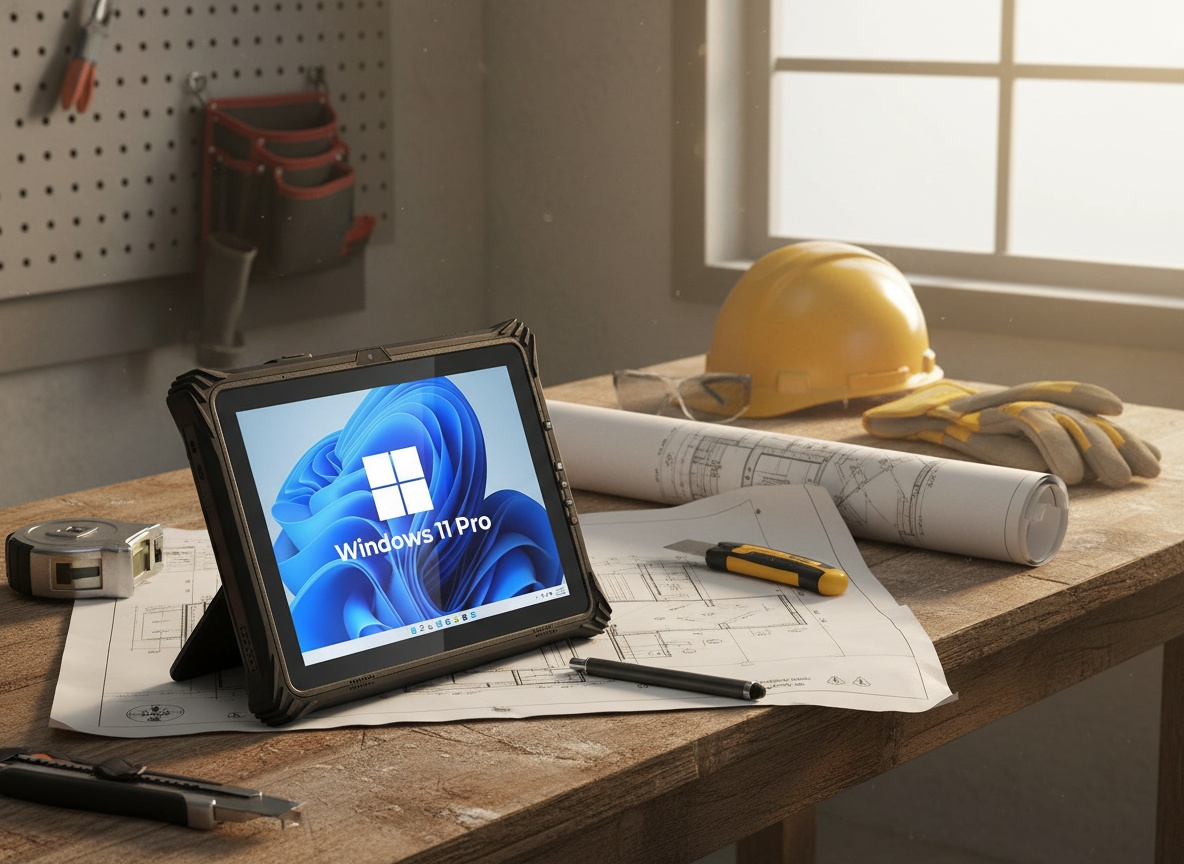
Construction sites are the next obvious fit. Outdoor conditions, variable weather, constant movement between locations, and the need to pull up plans, capture site photos, and communicate with the office. The 4G LTE connectivity means you’re not dependent on job-site Wi-Fi, which is often unreliable or nonexistent. You just have connectivity. That’s it.
Then there’s the 24/7 enterprise use case — and this is where the interchangeable battery system becomes the headline feature. Let’s say the device never stops. One worker clocks out, another clocks in, the tablet keeps running. Your company keeps a few charged batteries on hand. You pop the old one out, slot a fresh one in, and you don’t have to wait around for it to charge. Zero downtime. That’s not a feature you need at home watching YouTube. But on a production floor running around the clock, it’s everything.
Field technicians are in the same category. Think utilities, telecom, infrastructure maintenance — people who need their device to work the same at hour one of the day as at hour twelve, in whatever conditions they end up in.
Does a Consumer Tablet Cut It?
This is the comparison most people shopping in this category are actually making. You can get a standard consumer Windows tablet or even a mid-range Android device for a fraction of the cost. So why go this route?
A few specific reasons.
Consumer tablets are not sealed against dust. They are not built with reinforced corner protection. They don’t have interchangeable batteries. And they absolutely don’t have hardwired Ethernet ports. You can add a USB-C to Ethernet dongle to a standard tablet — sure — but that’s another thing to lose, another point of failure, another cable dangling off a device that’s already getting knocked around.
The other thing consumer tablets don’t offer: upgradeability. The 128GB SSD in this Mumbin is replaceable. You can pull it and put in a larger drive. The 16GB of RAM can be expanded. On most consumer devices, what you buy is what you’re stuck with forever. For a business tool that might be in service for three or four years, the ability to upgrade that hardware matters.
The trade-off is the charging system. This device doesn’t use USB-C. It uses a proprietary charging block. That’s a limitation worth knowing before you buy — especially if your team runs a mixed kit of devices and you want a universal charging solution. It’s not a dealbreaker for most enterprise setups, but it’s real.
And the price point reflects what this is. Check the current price on the Amazon listing — this is enterprise hardware priced accordingly. If you’re comparing it to a $300 consumer tablet, you’re comparing the wrong things. The right comparison is to other rugged field devices in the same class, where this Mumbin holds up very well.
A Few Things to Know Before Ordering
First, the charging block. It’s a proprietary connector — not USB-C, not USB-A, its own thing. If you’re deploying multiple units across a team, order spare chargers when you order the tablets. Don’t assume your existing charging infrastructure is compatible.
Second, plan for the battery rotation. The hot-swap system is brilliant, but it only works if your operation has spare batteries charged and ready to go. That means buying additional batteries upfront. Think of it like a power tool fleet — you don’t buy one battery per tool, you buy enough to keep everything running across a shift.
Third, take the upgradeability seriously. The device ships with 16GB of RAM and a 128GB SSD, both of which are expandable. If your team is running heavy software or managing large file sets, it’s worth evaluating whether you want to upgrade either of those components at the time of purchase rather than down the road.
Fourth, the 2-year warranty is included. For an enterprise device at this price, that’s a meaningful piece of mind — especially for operations where the device is getting heavy daily use. Register it. Use it.
And last — the accessories matter. The palm strap and the handle strap are both included, and both serve a real purpose depending on how your team works. The pen is there too for anyone signing forms or annotating docs on screen. Set it all up before you hand the device off to your team. It’s designed to be grabbed and go, and it works best when everything is configured from day one.
Frequently Asked Questions
Can you actually swap the battery without shutting the tablet down?
Yes — the dual battery system is hot-swappable, meaning the device keeps running while you pull and replace the battery. That’s the whole point for 24/7 enterprise environments where you can’t afford any downtime between shifts. Your company just needs to keep charged spares on hand.
Does the Mumbin rugged tablet support 4G LTE out of the box?
Yes, 4G LTE is built in. You’re not relying on Wi-Fi to stay connected in the field. That connectivity is especially useful on construction sites or anywhere your Wi-Fi infrastructure is inconsistent or nonexistent.
What does the Ethernet port actually help with?
The hardwired Ethernet port is there for high-volume file transfers — think dumping a full day’s worth of data onto a company server at the end of a shift, or allowing your IT department to push updates and run diagnostics over a physical cable connection. It’s something most tablets on the market don’t have, and for enterprise use it’s a real advantage over relying entirely on wireless transfers.
Is the RAM and storage actually upgradeable after purchase?
Yes. The 16GB RAM and 128GB SSD are both accessible and replaceable — you can upgrade either. That’s a significant advantage over most consumer tablets where the internal specs are permanent from day one. For a device you’re running for multiple years in a business environment, that flexibility has real long-term value.
Does it charge via USB-C?
No. The Mumbin tablet uses a proprietary charging block rather than USB-C. If you’re deploying multiple units, plan to order spare chargers upfront and don’t count on universal charging compatibility with your existing cable setup.
What operating system does it run?
Windows 11 Pro. It’s a full Windows environment, not Android or a stripped-down mobile OS. That means your enterprise software, IT tools, and file management systems all run the way they’re supposed to — no workarounds, no compatibility compromises.
Related reviews
- Beef Tallow and Honey Face Cream Review: Does It Work?
- Step to Bed Review: Bedside Step Stool with Safety Handles and Motion Sensor Light
- SV3C Solar Security Camera Review: 4-Camera Kit
What warranty does the Mumbin rugged tablet come with?
A 2-year warranty is included. For an enterprise device at this price point taking daily hard use, that’s worth taking seriously — register the device and keep your proof of purchase handy.
Learn more
Mumbin Rugged Windows Tablet
Get the best price today →This post contains affiliate links. I may earn a commission at no extra cost to you.
About the reviewer
Seb and Michelle
We've tested over 6,500 products in the last 5 years - collaborating with over 4,000 brands and bringing our style of reviews to multiple platforms.