Bose TV Speaker: Compact Soundbar with Spatial Audio
Bose's compact TV speaker packs spatial audio, HDMI ARC, and dialogue enhancement into one slim bar. Here's what you're actually getting.

Reviewed by
Seb and Michelle
We've tested over 6,500 products in the last 5 years – collaborating with over 4,000 brands and bringing our style of reviews to multiple platforms. More about me →
This post contains affiliate links. I may earn a commission at no extra cost to you.
Quick Verdict
I don’t think I need to tell you a lot of things about Bose as a brand — but you have to check out this really cool TV speaker. It’s a home theater sound system in one compact bar, and that HDMI ARC auto-connect alone makes it worth serious consideration. Only 36 watts, but it is plenty to get that high fidelity sound we’re all looking for.
Buy if you:
- Want a full home theater audio experience without the clutter of a full system
- Struggle to hear dialogue clearly over music or sound effects
- Use Roku, Apple TV, or similar streaming devices and want seamless connectivity
- Want your soundbar to turn on automatically when your TV does
Skip if you:
- Need true multi-channel surround sound rather than spatial audio
- Already have a full home theater receiver and speaker setup
- Want deep bass out of the box without adding an optional subwoofer
Clicking takes you to the seller's website. We may earn a small commission if you purchase, at no extra cost to you.
Bose TV Speaker Review: Big Sound, Small Package
Bose is a brand that really doesn’t need an introduction. You already know the name. What you might not know is that this specific TV speaker — the Bose TV Speaker — is doing something a lot of slim soundbars in its category simply aren’t. It’s delivering what amounts to a home theater sound system in one compact bar.
And look, “compact” is usually code for “compromise.” Smaller bar, smaller sound, smaller experience. That’s not what’s happening here. The drivers are angled in a way that pushes audio out and around you, not just straight at your face. That’s how it creates the spatial audio effect Bose is talking about. It feels wide. It feels natural. And if you’re coming from built-in TV speakers, the difference is not subtle.
Let me break down exactly what makes this thing worth a serious look — and where it has real limitations you need to know about before you buy.
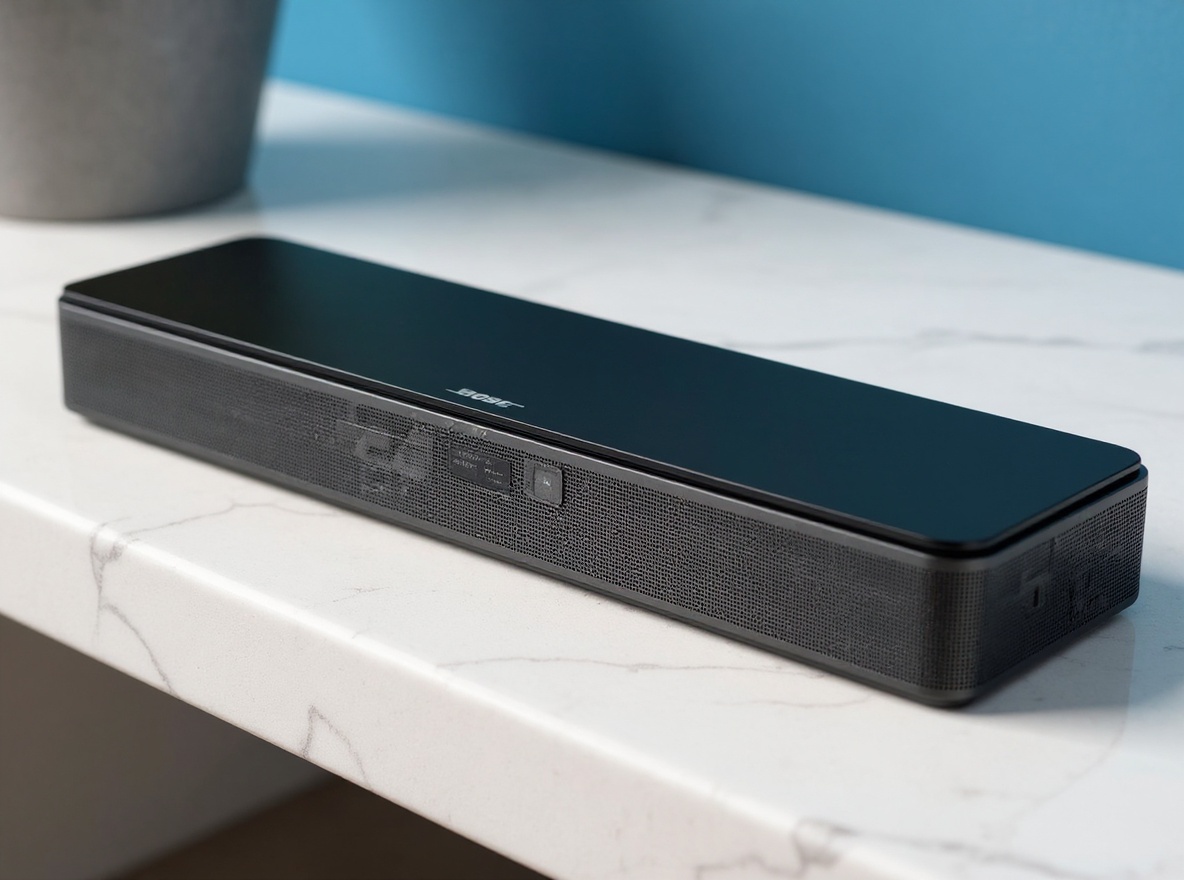
Drivers, Dimensions, and How the Sound Gets Around You
The bar itself is slim — 2.21 inches tall, 23.38 inches wide, 4.02 inches deep. You can sit it on a tabletop below your TV or wall-mount it with optional brackets. It’s not going to dominate your living room setup. That’s basically the whole point.
Inside, there are 2 angled full-range drivers. The angling is what creates that spatial audio experience. Now, let me be clear about what that means — and what it doesn’t. This is not surround sound. There are no rear speakers, no ceiling channels. But the spatial audio effect means you’re going to feel like sound is coming from your right, your left, wrapping around you. That’s the difference between the driver placement here and a standard bar that just fires straight at you.
For connectivity, you’re getting HDMI ARC, optical in, AUX in, Bluetooth 4.2, and a USB port that’s for service use only. The power cord is 5 feet. An optical cable is included in the box. An HDMI cable is sold separately if you go that route. The bar also supports up to 3 paired devices across different inputs, and the first powered-on device connects automatically — so switching between setups is largely hands-off.
It’s 36 watts of output. That number sounds modest on paper. But plenty is the right word for it — plenty to fill a room, plenty for high fidelity sound that doesn’t feel thin or hollow. This isn’t a number to overthink.
Optical vs HDMI ARC — This Choice Matters More Than You Think
Here’s the thing people gloss over when picking a soundbar connection method. It’s not the same regardless of which cable you use.
Optical in is clearly the best way to plug in this device if pure audio fidelity is what you’re chasing. The sharpest, the cleanest, the most high fidelity sound you could ever imagine comes through optical. Full stop. If that’s your priority, go optical, and the cable is right there in the box — no extra cost.
But HDMI ARC? That’s really, really smart in a different way. The bar grabs the signal directly from your TV, whatever you’re watching. Apple TV, Roku (this is Roku ready, by the way), any streaming device running through your set — HDMI ARC picks it all up. And here’s what makes it invaluable: when you turn on your TV, the Bose speaker turns on automatically. You don’t have to reach for a remote. You don’t have to switch inputs. The connection handles it.
I mean invaluable is the right word. Nobody wants to manage two remotes just to watch TV. The auto-connect via HDMI ARC removes that friction entirely.
So the trade-off is real: optical gives you the cleaner audio signal, HDMI ARC gives you the smarter, hands-free integration. Which matters more to you is a legitimate question worth thinking through before you set it up.
The Dialogue Mode Nobody Talks About Enough
A remote comes included in the box. Small, simple. But it has a feature on it that I think is the most underrated part of this whole package — dialogue enhancement mode.
Here’s the scenario: you’re watching a movie that’s heavy on dialogue. Great performances, lots of conversation, maybe a thriller or a drama. And then an action sequence hits and the explosions or the score just completely swallows the voices. You crank the volume for the quiet parts, then it’s too loud for the big moments. It’s annoying. Most soundbars don’t address this at all.
With this remote, you can press the dialogue enhancement button and the bar shifts its focus — vocals and pronunciation come to the front. Explosions, music, special effects stay in the mix but they’re not taking the forefront anymore. You can actually hear what’s being said. That’s super important if you watch a lot of dialogue-heavy content, and it’s something I love about how Bose built out the remote functionality here.
The remote also includes bass boost. So if you want a bit more weight in the low end without adding a subwoofer, you’ve got that toggle available. Speaking of which — this bar is compatible with the Bose Bass Module 500 or 700 if you want to expand into a fuller system later. The connection cable is sold separately, but the path is there if your needs grow.
Learn more
Bose TV Speaker Soundbar
Get the best price today →This post contains affiliate links. I may earn a commission at no extra cost to you.

Who This Bar Is Really Built For
Let’s be specific. If your TV speakers are flat, thin, or just hard to hear during quiet scenes, this is exactly the kind of upgrade that solves that problem without requiring you to rewire your living room.
It’s also built for people who want simplicity. One connection, plug and play, auto-on when the TV comes on. No receiver, no speaker wire running across the floor, no complicated input switching. The whole setup is designed around the idea that you shouldn’t have to manage your audio system — it should just work.
Streaming households specifically will get a lot out of this. Roku users, Apple TV users — the HDMI ARC pulls the signal from whatever device is running through your TV. You’re not patching in a separate output from each device. The TV handles signal routing, the Bose handles the sound, and the remote is there when you want to fine-tune dialogue or bump the bass.
And because the bar supports up to 3 paired devices across different inputs, a household that bounces between Bluetooth for music, HDMI ARC for TV content, and optical for something else can handle all three without reprogramming anything. First powered-on device connects automatically. That’s a quality-of-life feature that sounds small until you’ve dealt with a soundbar that makes you manually switch every single time.
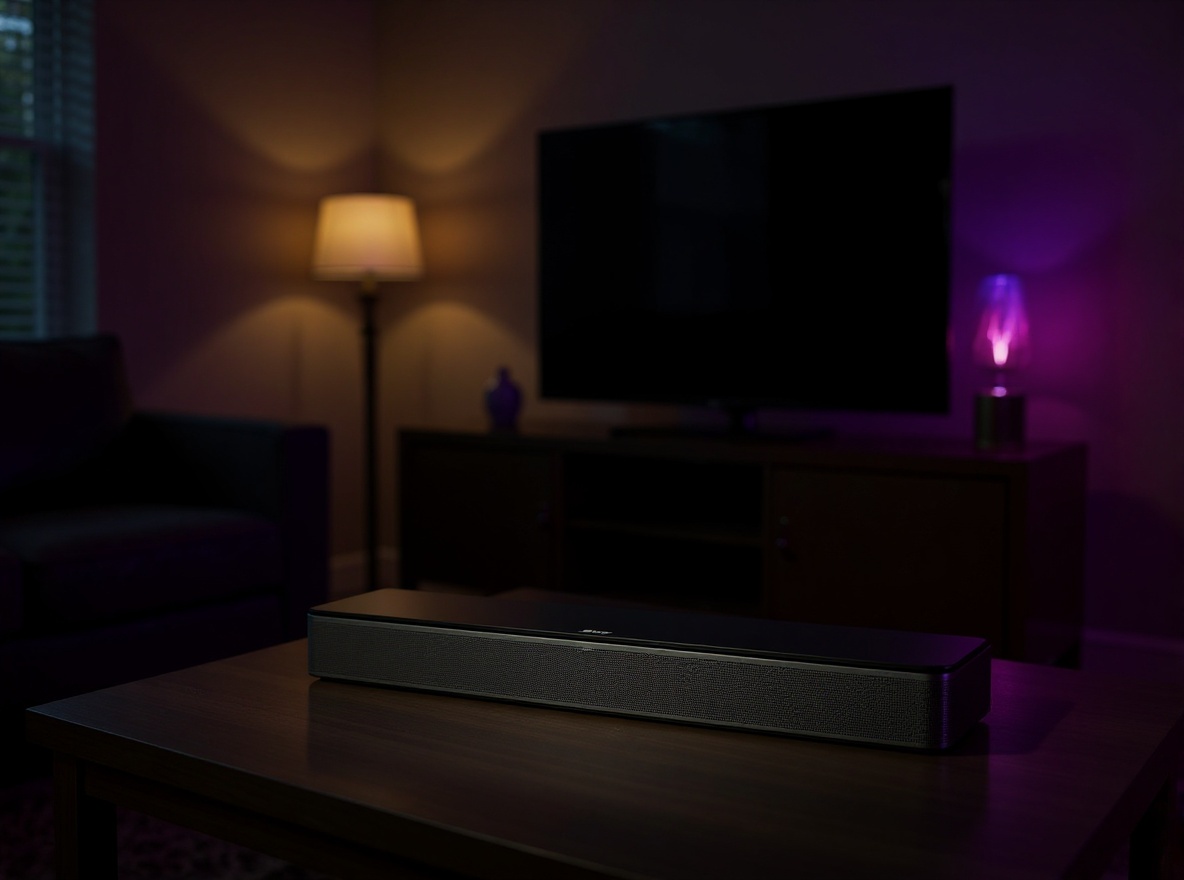
The tabletop and wall-mount options also give it flexibility across different room setups. Smaller TV stand with limited depth, floating TV shelf, full gallery wall mount — the bar can adapt to the space rather than the other way around.
Bose vs the Budget Soundbar Alternatives
There are soundbars in this category at lower price points. Some of them are decent. But here’s what they typically sacrifice to hit that price: build quality, driver quality, and the kind of thoughtful feature integration you get with something like HDMI ARC auto-connect or a properly tuned dialogue mode.
Budget bars will often give you Bluetooth and maybe an optical input. They’ll move air and play audio. But the spatial audio effect from angled full-range drivers is not something you typically get at the budget tier. Neither is the sophistication of a dialogue enhancement mode that actually shifts vocal frequency presence rather than just turning up overall volume.
The trade-off you’re making with the Bose is in bass depth. At 36 watts without a dedicated subwoofer, low-end thump is limited. A larger soundbar with a separate sub will outperform it in that specific area. The bass boost on the remote helps, but if you’re a person who watches a lot of action movies and wants to feel the explosions, you’d want to factor in the cost of adding a Bose Bass Module to the equation.
But for clarity, dialogue intelligibility, spatial width, and dead-simple setup? This is where the Bose wins without a contest. The build quality alone tells you where the money went.
Setup Tips and Things to Know Before You Plug It In
The optical cable is in the box. Use it first. Plug the optical cable from your TV’s optical out into the bar and you’re going to get the best audio signal quality available from this connection. It’s the sharpest, cleanest path — and it costs you nothing extra since the cable is already included.
If you want the auto-on convenience of HDMI ARC, you’ll need to pick up an HDMI cable separately since it’s not included. Check your TV has an ARC-labeled HDMI port — most modern TVs do. Once it’s connected, the bar turns on when your TV turns on. No remote required. If you watch a lot of TV and the one-remote experience matters to you, this is worth the extra cable cost.
The bar sits at 2.21 inches tall. If you have a TV stand with a lower shelf that’s tight on clearance, measure before you assume it fits. Wall mounting needs the optional brackets, which are sold separately — that’s not a deal-breaker but it’s an extra line item if you’re budgeting a wall install.
The power cord is 5 feet. Depending on where your nearest outlet sits relative to your TV setup, you might want a short extension. Not a complaint, just something to think through so you’re not improvising on install day.
And if you ever want more bass down the line — the Bose Bass Module 500 or 700 are both compatible. The connection cable is sold separately. So the bar works great on its own, but there’s a clear upgrade path if your needs change.
Frequently Asked Questions
Does the Bose TV Speaker turn on automatically with the TV?
Yes — when connected via HDMI ARC, the bar powers on automatically when your TV turns on. That auto-connect feature is one of the best parts of this setup. You don’t need to touch the remote at all once it’s configured.
Is this true surround sound?
No, it’s not surround sound. There are no rear channels or satellite speakers. What it does create is a spatial audio effect — the 2 angled full-range drivers spread sound wide left and right so it feels like audio is coming from around you, not just from a single point. It’s a meaningful difference from standard flat stereo, but it’s not a 5.1 or 7.1 setup.
Which connection sounds better — optical or HDMI ARC?
Optical in delivers the sharpest, cleanest, most high fidelity signal available from this bar. HDMI ARC trades a small amount of that raw fidelity for smart integration — auto-on, auto-off, signal grabbed directly from your TV. Optical cable is included in the box; HDMI cable is sold separately if you go that route.
What does the dialogue mode actually do?
Dialogue mode uses the included remote to bring vocals and speech to the front of the audio mix. Explosions, music, and sound effects stay present but don’t overpower voices the way they can on a flat TV speaker. It’s genuinely useful for heavy dialogue content — the kind of scene where you keep reaching for the volume button on stock TV audio.
Can you add a subwoofer to this bar later?
Yes. The Bose TV Speaker is compatible with the Bose Bass Module 500 or 700. The connection cable is sold separately. The bar works well on its own with the bass boost on the remote, but if you want deeper low end, the expansion path is there.
Does it work with Roku and Apple TV?
Yes. The bar is Roku ready and works with Apple TV and other streaming devices. Via HDMI ARC, it grabs the audio signal from whatever your TV is outputting — so it doesn’t matter which streaming device is running, the bar handles the audio from your TV’s connection.
Related reviews
- GiGi Facial Wax Strips Review
- Gasbye 95kPa Vacuum Sealer: Keep Food Fresh?
- Built-in Mirror Mini Fridge: 4L Pink Compact
Is the wall-mount bracket included?
No, the wall-mount brackets are sold separately. The bar ships ready for tabletop placement out of the box. If you want to mount it on the wall, budget for the additional brackets when you’re planning your install.
Learn more
Bose TV Speaker Soundbar
Get the best price today →This post contains affiliate links. I may earn a commission at no extra cost to you.
About the reviewer
Seb and Michelle
We've tested over 6,500 products in the last 5 years - collaborating with over 4,000 brands and bringing our style of reviews to multiple platforms.