MUNBYN AceScan AS01P Android Barcode Scanner for Small Business
MUNBYN's AceScan AS01P packs a full Android device inside a rugged barcode scanner. Here's what that means for small business and warehouse use.

Reviewed by
Seb and Michelle
We've tested over 6,500 products in the last 5 years – collaborating with over 4,000 brands and bringing our style of reviews to multiple platforms. More about me →
This post contains affiliate links. I may earn a commission at no extra cost to you.
Quick Verdict
The MUNBYN AceScan AS01P is a full Android device built right into a ruggedized barcode scanner body, and I was super surprised when I first opened it up. It reads UPC barcodes fast, the battery swaps out with a simple orange-button mechanism, and it ships with everything a brand new user needs to get started. The one catch: that battery swap isn’t as obvious as it sounds — you’ll want the manual open on your first try.
Buy if you:
- Run a warehouse, retail floor, or small business and need reliable inventory scanning on the go
- Want a full Android device baked into the scanner — not a dumb terminal
- Need to print barcodes on one end and scan them into your own inventory system on the other
- Are new to scanning setups and want a proper instruction booklet to follow along with
Skip if you:
- The orange battery lock mechanism requires reading the manual the first time — if you hate setup steps, budget that time upfront
- You’re an iOS-only operation and your workflow doesn’t support Android apps
- You only need occasional scanning on a mobile phone — this is built for all-day professional use, not casual one-off tasks
Clicking takes you to the seller's website. We may earn a small commission if you purchase, at no extra cost to you.
Android Barcode Scanner for Small Business Solutions
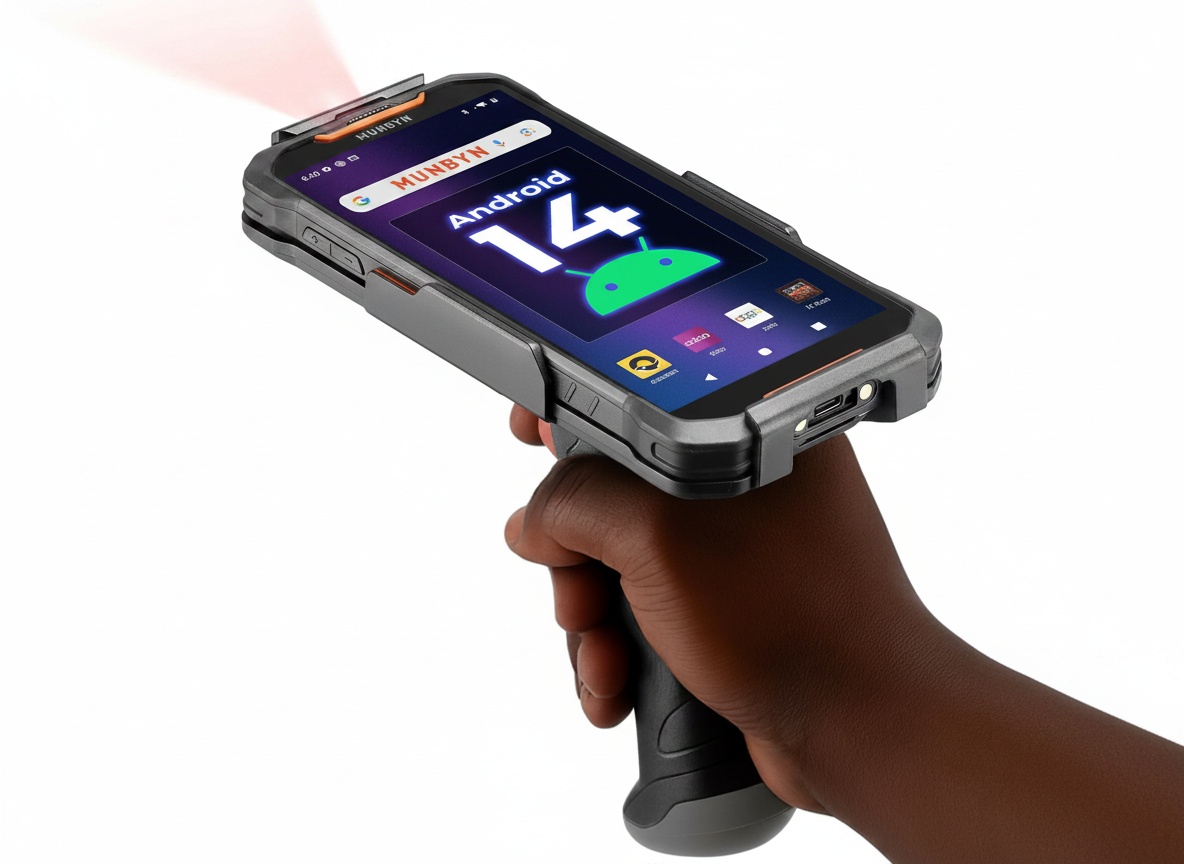
MUNBYN sent over the AceScan AS01P for review and the first thing that hits you when you pull it out is this: it’s not just a scanner. It’s a full-fledged Android device that happens to live inside a ruggedized pistol-grip scanner body. That combination is what makes this interesting for serious business use — and it’s what separates it from the basic plug-and-play USB scanners most people are more familiar with.
When you look at the device as a whole, you’ve got your scanner trigger system on one end, but inside that casing sits an actual Android phone with a specialized IR reader built right in. And because it’s a real Android device, you’re not locked into proprietary software. You can load apps, set up your own inventory database, customize your input fields — the whole thing. That’s the really cool part for small and bigger business owners who want flexibility in how they manage their products.
I grabbed a product from the pantry to do a live UPC scan demo. Pointed the scanner at the barcode, pulled the trigger — and you could hear that clean scan beep immediately. No lag, no second attempt. The number converted on screen right away. For businesses printing their own barcodes on one end and scanning them into inventory on the other, that kind of instant read is exactly what you need.
Two Pieces, One Device: The Scanner and Android Breakdown
Here’s something a lot of people won’t expect: the Android phone and the trigger/scanner body are actually 2 separate components. You open the casing, pull out the Android device, and what you’re left with is the trigger shell — your scanner system. The Android phone itself has a different type of encasing from a regular handset because it carries that IR reader on the back specifically for barcode scanning.
The Zebra scan engine powering this is no lightweight. Zebra is the name in enterprise-grade scanning, and having their engine in here means the read accuracy on standard UPC barcodes, QR codes, and custom inventory barcodes is going to be reliable under real working conditions. Not just ideal lighting on a desk, but a warehouse floor, a retail back room, a moving situation.
In terms of what ships in the box: you get the scanner unit, a USB-C charging cable, and an instruction booklet. That manual isn’t an afterthought. It walks through the battery mechanism, setup steps, and how to get started scanning — everything a brand new user needs to go from unboxing to organized in one sitting. MUNBYN put real detail into it, which matters for the small business owner who doesn’t have an IT department telling them what to do next.
Live UPC Scan: What the Trigger Moment Sounds Like
The scan demo told the clearest story. Pointed the device at a standard UPC barcode from a pantry item and pulled the trigger. One clean beep. The full numeric code appeared on the Android screen instantly. That’s the whole job in one motion: the IR reader captures the barcode, the Android system processes it, and the number lands in whatever field or app you’ve got open.
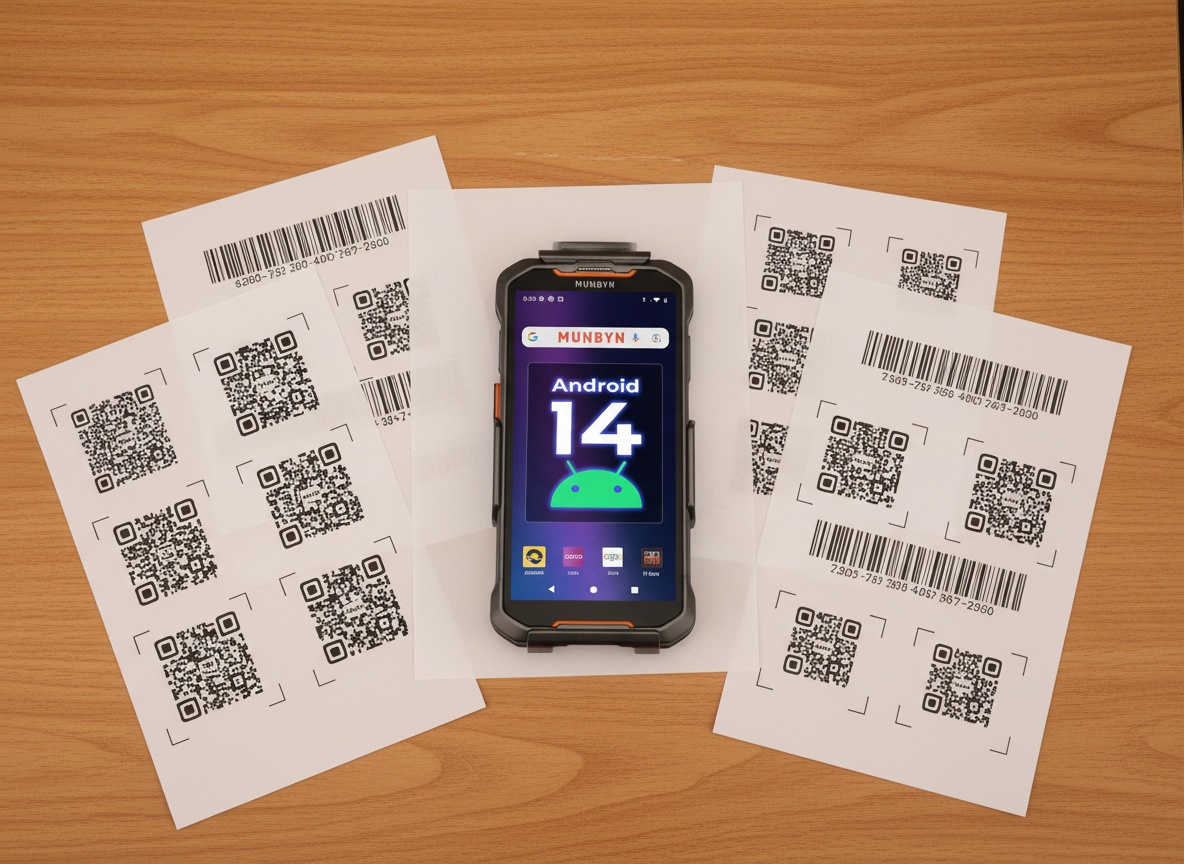
What that means in a real workflow is significant. If you’re managing inventory, you can have your database open, pull the trigger on each product, and watch the codes populate. If you’re printing custom barcodes for your own products, the same device that reads retail UPCs will read your labels without missing a beat. It’s designed to work across both standard and custom code formats, which gives the device a lot of flexibility depending on how your operation is set up.
And because it’s a full Android phone, the customization options for what happens after the scan are wide open. You can configure the inputs, tie the device into your own database or inventory system, and set it up to fit your specific workflow rather than forcing your workflow to fit the tool. That’s a different level of utility than a basic plug-in USB scanner gives you.
The Orange Button Will Slow You Down First
Here’s the part that isn’t obvious out of the box. The battery has a specific locking mechanism — a small orange button on the battery itself — and that button has to be triggered on or off before you can slip the battery in and lock it into position. Once it’s locked, you close the housing back up and you’re done. But figuring out the sequence of that orange button the first time? That takes a minute.
It’s worth being clear that the manual covers this step thoroughly. But if you skip straight to the hardware and try to load the battery without reading the booklet, you’re going to be sitting there pressing things that don’t make sense until you go back and read the instructions. It’s a fiddly mechanism on first use — not a dealbreaker at all, but a genuine “read the manual first” situation that isn’t always how people approach new tech.
Once you’ve done it once, it clicks. Literally. The battery slides in, the orange lock engages, the housing closes. After that first successful swap it becomes a quick, clean process. But plan for that learning curve on day one, especially if you’re handing this device to a team member who hasn’t been briefed on the battery mechanism specifically.
Learn more
MUNBYN AceScan AS01P Scanner
Get the best price today →This post contains affiliate links. I may earn a commission at no extra cost to you.

The Business Profiles That Fit This Device
Small business owners trying to get their inventory organized from scratch are the clearest fit here. You’ve got a product line, you’re printing labels, you need to track stock movements — the AceScan AS01P handles that loop from end to end. Print the barcode, scan it in, add it to your database. The whole system lives in the device.
Warehouse teams are another strong use case. This isn’t a fragile consumer device. The ruggedized build, the pistol-grip form factor, the long battery life designed for all-day use — these are warehouse-floor choices, not desk choices. Staff can carry it, trigger-scan items on shelves, and keep moving without stopping to charge or swap equipment mid-shift.
Retail operations benefit too, especially shops managing multiple SKUs. The Android OS means you can install whatever retail management app you’re already using, tie the scanner directly into your point-of-sale or order system, and have a unified flow instead of juggling a separate scanner and a separate phone or tablet. The device collapses those 2 things into 1.
And for the brand new person — the one who’s never set up an inventory system before and doesn’t know where to start — the MUNBYN manual and the approachable Android interface lower the barrier more than most enterprise-level scanners do. You don’t need a technical background to get going. The booklet walks you through the first steps, and the device itself behaves like an Android phone because it is one.
Before You Pull the Trigger on This Purchase
Read the manual before touching the battery. That’s the single most useful thing to know going in. The orange button mechanism on the battery is covered in the instruction booklet clearly, and doing it in order the first time saves you frustration. Skipping the manual is how you end up confused by hardware that’s straightforward once you understand the sequence.
Think about your app setup before the device arrives. Because this runs Android, you’ll want to have a plan for what software you’re loading onto it. Whether that’s a dedicated inventory app, a barcode database tool, or something custom to your operation — knowing that upfront means you can go from unboxing to productive a lot faster. The device is ready to go; your software stack should be too.
Consider who’s going to use it. If you’re handing this to a team, brief them on the battery swap specifically. That orange lock mechanism is the one part that needs a verbal walkthrough or a demo the first time. After that, it’s a non-issue. But the first day of use without that context is the one variable that could create friction in an otherwise smooth setup.
Check current pricing and availability at the Amazon link here — pricing on devices like this can shift, and the product page will have the most up-to-date information on bundles and stock.
Frequently Asked Questions
Does the AceScan AS01P work with third-party inventory apps on Android?
Yes, it runs full Android, so you can install apps from the Play Store just like you would on any Android device. That means it’s compatible with the inventory, warehouse, and retail management apps you’re probably already familiar with, rather than locking you into MUNBYN’s own proprietary ecosystem.
Can it read QR codes, or only standard UPC barcodes?
The Zebra scan engine it uses is built to handle multiple barcode formats, not just UPCs. QR codes and custom inventory barcodes you’ve printed yourself are included. If you’re building a barcode system for your own products, this device is designed for exactly that workflow.
Is the battery replaceable, and can I get spare batteries?
The battery is user-replaceable with the orange-button locking mechanism described in the manual. For all-day operations where downtime isn’t an option, keeping a spare charged battery on hand is a smart move. Check the MUNBYN product page for compatible replacement battery options.
What’s in the box when it arrives?
The scanner unit, a USB-C charging cable, and an instruction booklet. The manual is thorough enough for a complete beginner to follow from setup through first scan. There’s no additional subscription or software purchase needed to get started.
Does the device need to be connected to WiFi or a network to scan?
Basic scanning and data entry don’t require a network connection since the Android device processes the scan locally. WiFi or mobile data would only be needed if your inventory app syncs to a cloud database in real time. For offline inventory setups, the device works standalone.
Related reviews
- SKYTRAX COMF Memory Foam Neck Pillow Review: Is It Worth Buying?
- Wahl Professional Peanut Trimmer Review: Small & Mighty
- Roll-Up Tool Organizer Bag Review
Is this suitable for a single-person small business, or is it geared more toward larger operations?
It’s built for both. The instruction booklet and approachable Android interface make it accessible to a solo operator just getting their inventory system off the ground. The ruggedized build and Zebra scan engine also make it durable enough for a warehouse team running it all day. The device scales with your needs rather than targeting one specific operation size.
Learn more
MUNBYN AceScan AS01P Scanner
Get the best price today →This post contains affiliate links. I may earn a commission at no extra cost to you.
About the reviewer
Seb and Michelle
We've tested over 6,500 products in the last 5 years - collaborating with over 4,000 brands and bringing our style of reviews to multiple platforms.