Flatsons P1 Portable Guitar Pedal Review
The Flatsons P1 packs 20 amp models, 80+ effects, and wireless audio into something smaller than a phone. Here's how it played in real use.

Reviewed by
Seb and Michelle
We've tested over 6,500 products in the last 5 years – collaborating with over 4,000 brands and bringing our style of reviews to multiple platforms. More about me →
This post contains affiliate links. I may earn a commission at no extra cost to you.
Can you believe that sound comes from this little device right here? That was my first reaction plugging the Flatsons P1 into my little Flatsons mini amp. All of the effects, all the tone, everything I was hearing was coming out of a box smaller than my phone. If you want the short answer on this portable guitar pedal, it’s this: it does way more than something 4.96 ounces has any right to do.
Quick Verdict
A pedal smaller than my phone pushed out a full PV amp tone I don’t even own. The Flatsons P1 crams 20 amp models and 80 presets into 4.96 ounces, and the free app makes tweaking almost too easy. My one gripe: I wish the shell was metal, not this featherweight plastic.
Buy if you:
- Travel a lot and hate lugging a bulky floor rig
- Practice at home and want to skip a pedal on the ground
- Want 80 presets you can build on a computer and take anywhere
- Like recording straight into your phone or laptop over USB-C
Skip if you:
- Want a heavy metal-encased pedal you can stomp on the floor
- Gig hard and need something built to take a boot
- Refuse to touch an app to unlock the deep settings
| Dimensions | 4.72 x 2.55 x 1.74 in |
|---|---|
| Weight | 4.96 oz (145g) |
| Amp models | 20 classic models |
| Presets | 80 slots (40 factory + 40 user) |
| Battery | 2000mAh, 7, 9 hrs play |
| Wireless | Bluetooth 5.0 |
How Portable Guitar Pedals Deliver Big Sound
I’m going to talk about what I wish it had, but mostly I’m going to talk about all the stuff it does have. And there’s a lot in here.
What’s Packed Into This Little Box
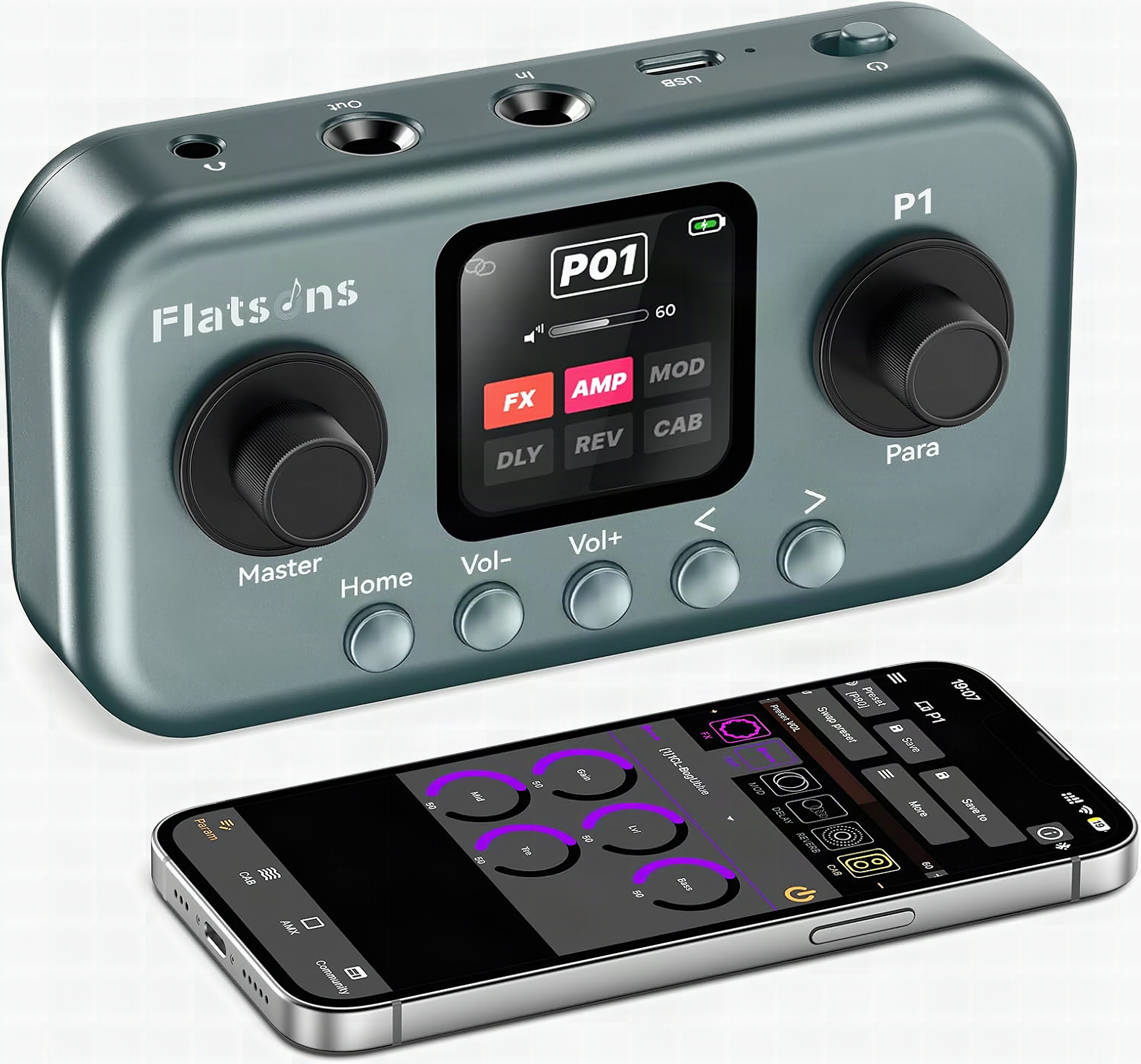
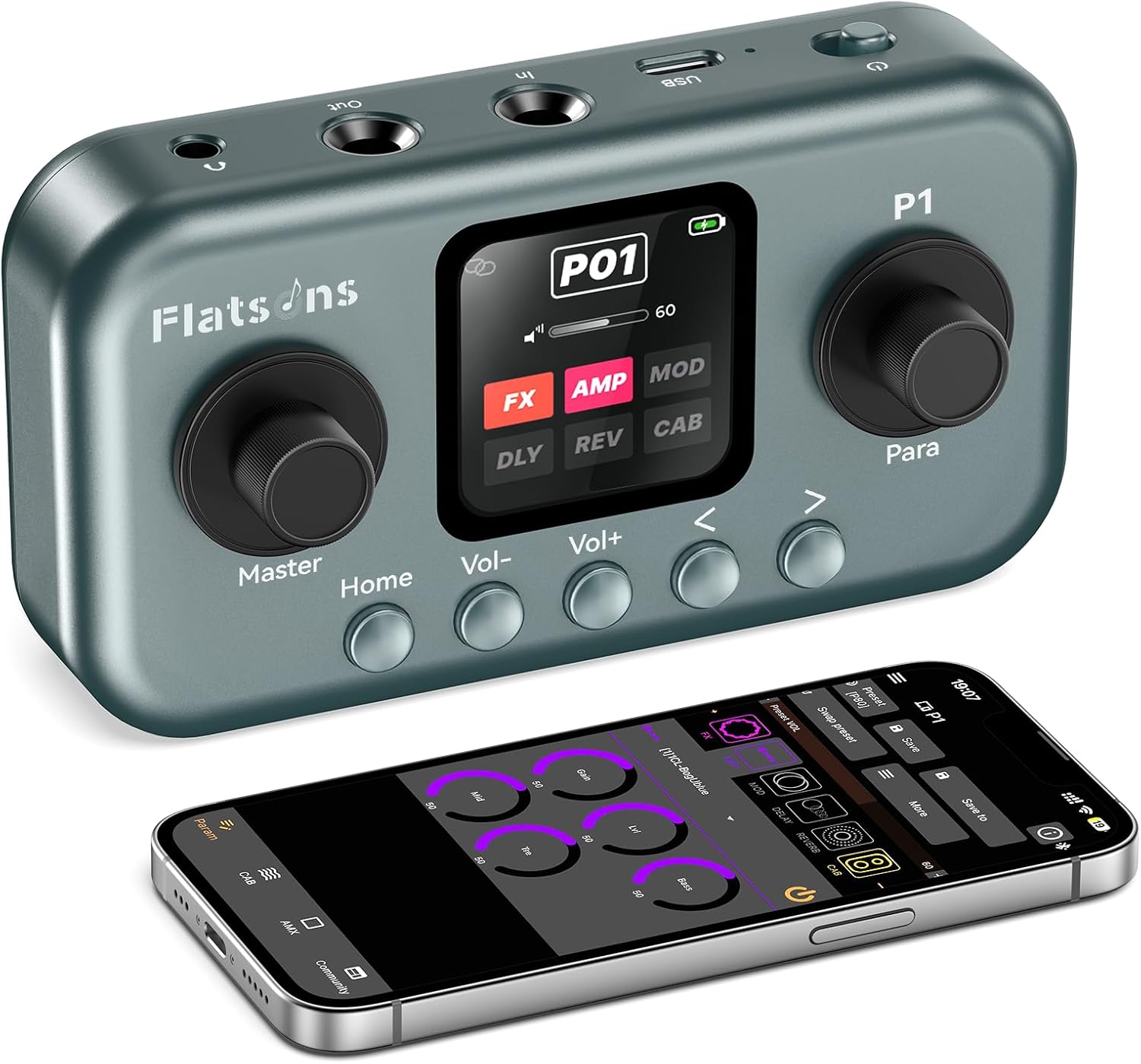
20 amp models, 80+ effects, and 80 preset slots live inside a pedal that weighs 4.96 ounces. The P1 measures 4.72 by 2.55 by 1.74 inches with a small color screen up top. On that screen you get a master volume with a really, really big number that’s easy to read from across the room.
The main switch is a press-down control. Push it and it scrolls through the different knobs, and those knobs are literally like having a proper control setting with physical knobs, except they’re all digital and all live in here. Instead of a row of real dials, you scroll and select. Everything runs off a 2000mAh battery rated for 7 to 9 hours of play, and it charges over the included USB-C.
The App Is Where It Clicks
Plug in the USB-C and the whole thing opens up, that’s the move that separates the P1 from every fiddly multi-effects unit I’ve used. The cable is in the box, the app is free, and within two minutes I was dragging a delay mix slider on my laptop while the pedal updated in real time. No menu-diving on a 1.18-inch screen.
I was just playing with some delay, then brought the mix in even more, and from there I could jump to flanger, vibrato, whatever I wanted. Then I started swapping amps. Look at all the different amps you can select from. As soon as I picked one, out came this nice little PV amp tone. I don’t own a PV amp. That’s what makes it crazy: all of this is coming out of a box the size of a phone. I think it’s really, really cool.
You program up to 80 presets on the computer, and once you’re done you just unplug. The app disconnects, goes looking for the device, and the pedal keeps working exactly like it was. From there I could go one-touch: preset one, preset two, all the way to 80 with a single press. So cool.
The Plastic Shell Is My One Real Gripe
I wish the encasing was metal. That’s the hangup for me. I love things that are a little bit heavier, and this one is very light. Picking it up, I couldn’t quite understand the way it was built, because I’m used to a pedal feeling like it can survive a boot.
But here’s the flip side I had to sit with. Being so light is exactly why it’s so portable. This isn’t a pedal that lives on the floor. You’re not going to be stepping on it. Once I reframed it that way, the plastic made more sense. It’s still my one wish for a version two, but it stopped being a dealbreaker the second I dropped it in a bag.
Learn more
Flatsons P1 Guitar Pedal
Get the best price today →This post contains affiliate links. I may earn a commission at no extra cost to you.

Who This Little Pedal Is Actually For
The P1 earns its place for two specific players: the one who flies to gigs and won’t check a pedalboard, and the bedroom player who practices at a desk and has no interest in a cable snaking across the floor. If you’re neither, if you’re stomping through 45-minute sets and switching presets with your boot, this isn’t your pedal.
For practice, the 40 factory presets alone kept me busy for an hour, cycling from a clean PV tone to full flanger without touching a single floor pedal. The instructions barely matter once the app is open; it’s drag-and-drop obvious. Valeton could charge more for this feature set. They didn’t, and that’s the reason this thing keeps ending up in my bag.
P1 vs a Traditional Floor Pedalboard
A typical pedal lives on the floor and gets stepped on. That’s the whole comparison for me. A traditional pedalboard wins on stomp-ability and that heavy, planted feel I like, and if you’re gigging and kicking presets with your foot, that matters.
But the P1 flips the priorities. It’s not something you stamp on, it’s something you set down or pack away. For travel, bedroom practice, and messing with amp models on the couch, the little box wins on sheer convenience. One holds 20 amps in your bag. The other holds your tone but eats your floor space. Pick your priority.
A Few Tips Before You Start Pushing Knobs
Download the free Flatsons app first. Seriously, that’s the step that makes everything else easier. The onboard controls work fine, but the app is where you’ll build and save your 80 presets without fighting the little screen.
Set your master volume before you dig into effects. That big number on the screen is right there for a reason, and I settled mine at 80% so nothing surprised me when I switched amps. And don’t panic when you unplug from the computer. The app disconnects, but the pedal keeps every setting exactly where you left it. Program on the computer, then take it anywhere.
Pros
- Tiny and portable at 4.96 ounces, fits right in a gig bag
- 20 amp models and tones that sound way bigger than the box, like the PV amp I don’t even own
- Brilliant free app makes editing effects and presets super easy over USB-C
- Clear buttons and a big, readable master volume number
- 80 presets you can program on a computer and switch one-touch after unplugging
Cons
- Plastic encasing feels very light; I wish it was metal and a bit heavier
- Not built to be stomped on the floor like a traditional pedal
- You’ll want a computer and the app to get the most out of it
What we’d improve
One change would make a strong little pedal feel premium:
- The plastic shell, A metal encasing would add the weight and durability I keep wishing for, and it’d make a portable pedal feel a lot more road-worthy.
- The tiny onboard screen, At 1.18 inches it’s fine for the big volume number, but a hair more real estate would cut down how often you reach for the app just to see what you’re editing.
Frequently Asked Questions
Is the Flatsons P1 good for beginners?
Yes, it’s beginner-friendly. The instructions are super easy to follow, and once you download the free app and plug in over USB-C, you’re just pushing knobs and having fun. The 40 factory presets give you tones to explore before you build your own.
Do I need an amp to use it?
No, you don’t strictly need one. I ran it into a Flatsons mini amp, but the P1 has a 3.5mm headphone jack and Bluetooth 5.0, so you can play silently through headphones. An amp just gives you sound in the room if you’re busking or practicing out loud.
Does it work without being plugged into a computer?
Yes. You program presets on the computer through the app, then unplug and the pedal keeps running exactly as it was. I switched from preset one all the way to 80 with one-touch selection after disconnecting.
What comes in the box to get started?
The USB-C cable is included, which is the main thing you need to connect to a computer and run the free Flatsons app. Beyond that you’ll want your guitar cable and either an amp or headphones to hear it. The app itself is free to download.
How long does the battery last?
The 2000mAh battery is rated for 7 to 9 hours of continuous play. It recharges over the same USB-C cable you use to connect to your computer, so one cable covers charging and editing.
Can I record with it?
Yes, it doubles as a USB audio interface. It supports OTG recording into a smartphone, Mac, or Windows machine with the USB cable or an OTG adapter, so you can track directly without a separate interface.
Can I use it for bass, not just guitar?
Yes, it’s built for guitar and bass. The amp models and effects modules cover both, so bass players get the same portable, app-driven setup.
Does it need much maintenance or tuning?
Very little. There’s a built-in tuner for your strings, and the pedal itself just needs charging over USB-C. Since the controls are digital and stored in presets, there’s nothing to physically recalibrate.
Is there a warranty?
Yes, it comes with a 24-month warranty. Check the current listing at the link for the latest terms and what’s covered before you buy.
Clicking takes you to the seller's website. We may earn a small commission if you purchase, at no extra cost to you.
Learn more
Flatsons P1 Guitar Pedal
Get the best price today →This post contains affiliate links. I may earn a commission at no extra cost to you.
🛍️ Shop everything in this video
Every product mentioned, in one place — these are affiliate links, so I may earn a small commission at no extra cost to you.
🛍️ Flat Suns P1 Effects Processor — check price on Amazon →
🛍️ Flat Suns Mini Amp — check price on Amazon →
About the reviewer
Seb and Michelle
We've tested over 6,500 products in the last 5 years - collaborating with over 4,000 brands and bringing our style of reviews to multiple platforms.